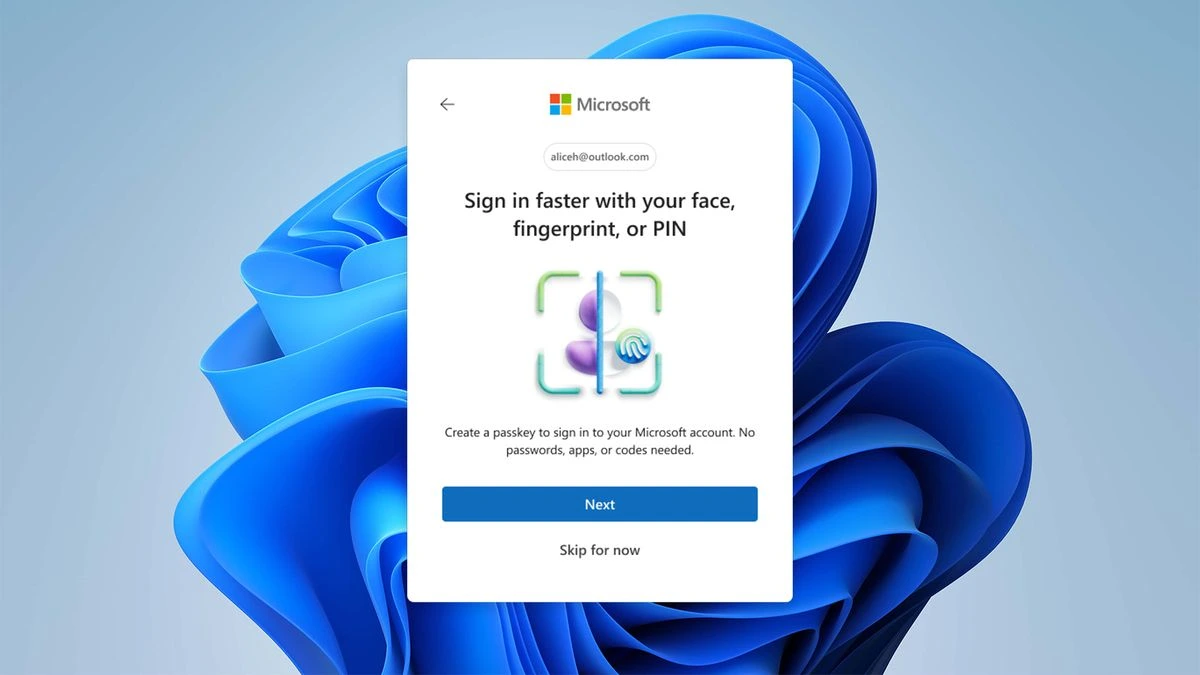
Microsoft has officially initiated one of the most critical security upgrades in Windows history, confirming a mandatory shift for its vast user base. This isn’t a typical OS patch; it’s a fundamental change in how users authenticate their accounts, effectively signaling the imminent end of the password era for over a billion Windows users.
The Redmond giant has stated that the traditional, static password is now obsolete. Passwords, the company warns, are easily forgotten, weak, or susceptible to phishing and breach attacks. To counter this pervasive threat, Microsoft is enforcing a mandatory transition to passkeys, leveraging robust, FIDO-compliant standards that eliminate the need for memorized character strings and vulnerable two-factor authentication (2FA) codes.
Why Passkeys Are the Mandatory New Standard
Passkeys represent a monumental leap in digital security and user convenience. They replace the entire password/2FA workflow with account authentication that is directly linked to your physical device.
Unlike passwords, which can be stolen in a data breach or guessed via social engineering, a passkey relies on cryptographic keys stored locally on your device. This architecture ensures superior protection against several leading cyber threats.
Key Benefits of Mandatory Passkey Adoption
- Immunity to Phishing: Passkeys are bound to the specific website or application they are created for. An attacker cannot trick a user into entering a passkey on a fraudulent site.
- Breach Resistance: Since the cryptographic keys are stored on your device (e.g., your laptop, phone, or security key), they are useless to attackers who breach a remote server.
- Seamless Authentication: The sign-in process is simplified, often relying on your device’s built-in biometrics—such as your fingerprint, face recognition (Windows Hello), or a simple PIN. This is far quicker and more secure than typing a password.
- Physical Security Requirement: Authentication requires possession of the physical hardware device, making interception or unauthorized access virtually impossible.
The Operational Shift for Users
For the end user, this transition means that logging into a Microsoft account, whether for Windows, Office 365, or Azure services, will primarily rely on the passkey method. This decision aligns Microsoft with the global FIDO Alliance, pushing the entire ecosystem toward a passwordless future.
What Users Must Do Next
As this change rolls out, users will be prompted to set up a passkey for their Microsoft Account. This is typically an effortless, guided process that integrates with your existing security hardware.
- Check for Prompts: Look for new security notifications within your Microsoft Account settings or Windows OS prompts.
- Enable Biometrics: Ensure Windows Hello (or equivalent security measures) is enabled on your primary device, as this is the most common way to authorize a passkey transaction.
- Use a Secure Device: Your passkey is linked to your device’s security. This means using a modern device with TPM (Trusted Platform Module) support is critical for maintaining the highest security posture.
This sweeping mandate is Microsoft’s commitment to protecting its massive user base from the escalating risks of password-based attacks, finally prioritizing robust, physical-device security over outdated authentication methods.
This video provides information on Microsoft’s efforts to get Windows 10 users to upgrade to Windows 11 using new migration tools, which is part of the larger update strategy for Windows users. Microsoft’s New Upgrade Option For Windows 10 Users
Explore the Latest World of Technology.
Android
cross-device
file-explorer
phone-link
photos-tab
tech-news
windows-android
automation
bash-scripting
command-line
cron-jobs
file-permissions
linux-skills
terminal
vim
android-2026
android-security
apk-install
developer-verification
experienced-user
foss
google-play
open-source
sideloading
appimage